> For the complete documentation index, see [llms.txt](https://docs.substancex.io/llms.txt). Markdown versions of documentation pages are available by appending `.md` to page URLs; this page is available as [Markdown](https://docs.substancex.io/tutorials/lock-and-earn.md).
# Lock & Earn
Click the "Earn" button to access "Lock & Earn."
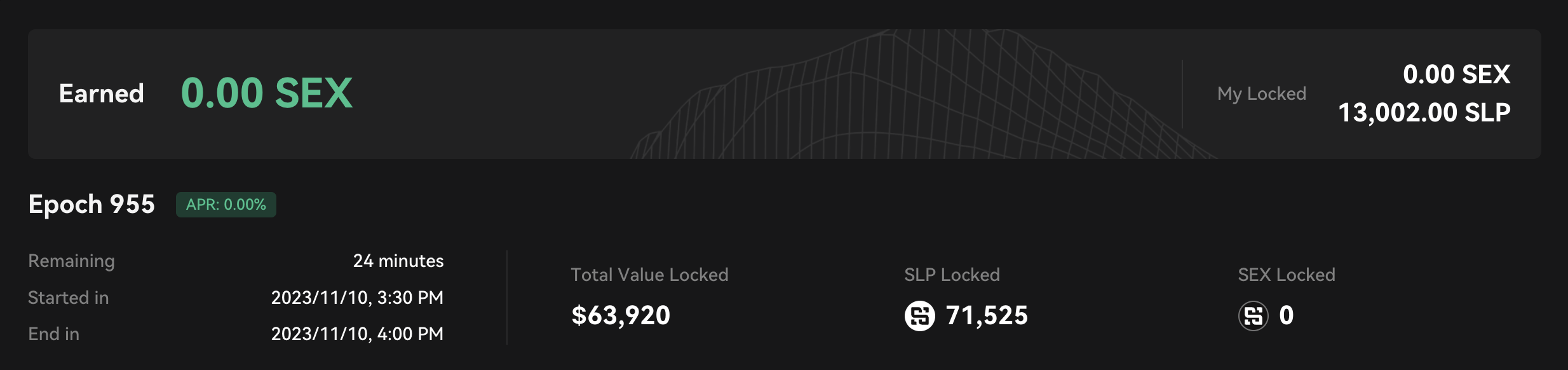
The Epoch banner shows detailed information of the current epoch, such as time remaining, total locked value, etc.
**Stake SEX for Staking Rewards:**
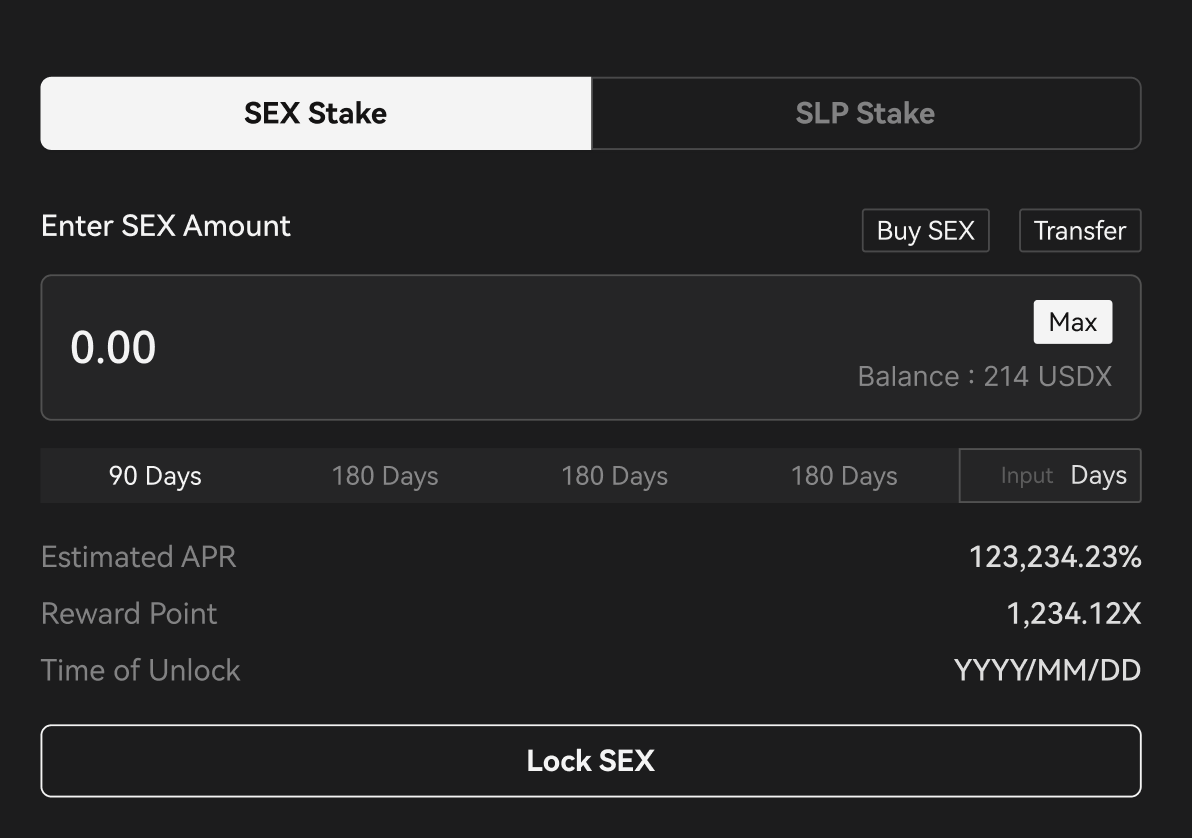
1. Click "SEX Stake."
2. Enter the amount of SEX you want to stake and the lock period.
3. Click "Lock SEX" to complete the staking process.
\
**Stake SLP for Staking Rewards:**
1. Click "SLP Stake."
2. Enter the amount of SLP you want to stake and the lock period.
3. Click "Lock SLP" to complete the staking process.
> Both locking SLP and SEX will earn you SEX token rewards, with the only difference being the quantity of rewards.
**Manage Your Staked Assets:**
You can view all your staked assets at the bottom of the page under the "Locked" tab.Each small card displays details about the staked asset type, the quantity of staked assets, current SEX reward amounts, staking progress, and more.Clicking on a card will provide additional relevant information.
* When the lock period expires, click "Unlock All" to unlock the assets that have reached the lock period and retrieve the locked asset.
* Additionally, the SEX token rewards generated from your staking will appear in the "Unlocked" tab on the right. They will be released linearly during a 365-day distribution period. You can click "Claim All" to collect the already released SEX token rewards.